UDI LABEL DESIGNER
Design UDI labels with every detail in place.
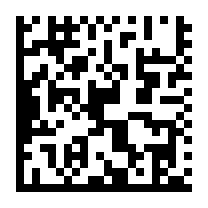
Bring GS1 DataMatrix, readable product data and label artwork into one layout. Start with an example, then make it fit your device and packaging.
Design a UDI labelStart with an editable example. A verified account is required for downloads.
A SIMPLE WORKFLOW
Three steps to get started.
- 01
Start with a layout
Open the example label and set the width and height for your packaging.
- 02
Make it your own
Replace the sample identifiers. Arrange readable fields, product text and any symbols you need.
- 03
Review your output
Export the label and review its data, artwork and print quality before production.
MADE FOR THE TASK
One workspace for the whole label.
Move from the identifier to the surrounding artwork without switching design tools. The example is a starting point for your own label review.
Data and readable text
Keep the GS1 barcode and its human-readable fields together as you build your layout.
Room for your artwork
Add product text, uploaded images, shapes and symbols from the editor’s library.
Physical label dimensions
Design in millimetres. Export SVG or a PDF with the chosen physical page dimensions, plus PNG and JPEG options.
A LITTLE MORE DETAIL
Good to know.
Save and reuse your label layoutLearn how to keep a design ready for your next label.Does creating a label make my device UDI compliant?
No. UDImaker is a design tool. You remain responsible for the correct identifiers, required label information and applicable regulatory review.
Which barcode workflow does this template use?
The example uses GS1 DataMatrix with GTIN and production data fields. It is not a template for every UDI issuing system.
Can I save and reuse a layout?
Yes. The editor supports saving and reopening designs. Replace the product data and review the resulting label whenever you reuse a layout.
Keep working in one place.
Explore another task, or open the full label designer.