GS1 DATAMATRIX GENERATOR
Create GS1 DataMatrix labels in your browser.
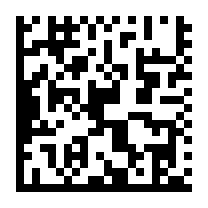
Create a GS1 DataMatrix barcode with GTIN, lot, serial and date fields. Adjust the layout and add readable text in the same label designer.
Create a GS1 DataMatrixDesign in your browser. Sign in with a verified account to download.
A SIMPLE WORKFLOW
Three steps to get started.
- 01
Enter your data
Replace the example GTIN and choose the lot, serial and date fields you need.
- 02
Adjust your label
Set the dimensions in millimetres. Position the code and its human-readable text.
- 03
Export and check
Download your label, print at actual size and check it with your intended scanner.
MADE FOR THE TASK
The code and its context, together.
A barcode is one part of a useful label. Keep the GS1 data, readable fields and surrounding design together while you work.
Structured GS1 fields
Work with GTIN (01), lot (10), production date (11), expiry date (17) and serial number (21).
A complete label editor
Add text, images and shapes. Set a physical label size and adjust the layout visually.
Choose your output
Export the full label as SVG, PDF, PNG or JPEG, or download the GS1 DataMatrix as SVG or PNG.
A LITTLE MORE DETAIL
Good to know.
Create your first GS1 DataMatrix labelA practical guide to fields, layout and printing.Is this for GS1 DataMatrix or plain DataMatrix?
This workflow uses structured GS1 fields. It is intended for GS1 DataMatrix labels, rather than encoding arbitrary text into a plain DataMatrix symbol.
Does UDImaker issue a GTIN?
No. Use the identifier assigned to your product. The sample values are for demonstration and must be replaced before production use.
Can I keep editing the rest of the label?
Yes. The same editor includes text, images, shapes, QR codes and Code 128. You can continue designing after adding your DataMatrix.
Keep working in one place.
Explore another task, or open the full label designer.